> For the complete documentation index, see [llms.txt](https://docs.tradeonnova.net/llms.txt). Markdown versions of documentation pages are available by appending `.md` to page URLs; this page is available as [Markdown](https://docs.tradeonnova.net/modules/buy/multi-wallet-buy.md).
# Multi-Wallet Buy
## Video Tutorial ⬇️
{% embed url="" %}
***
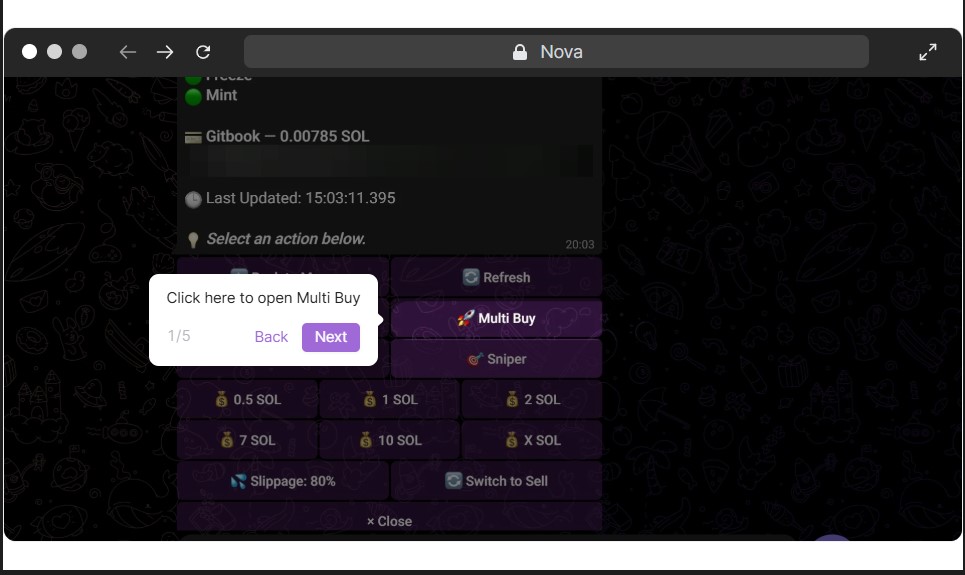
## Interactive Tutorial 👇
***
## How to Buy with Multiple Wallets?
* To buy a token simply go to the menu page and click 'Buy,' or simply send a CA or pump.fun link to Nova.
* Select the `Multi Buy` button in the Buy Menu.
* Select the amount you want to buy for each wallet by pressing the SOL button in the center.
* After selecting your desired amount, you can choose to buy one wallet at a time by clicking the `Buy` button next to the SOL button. 
* Alternatively, you can buy with all wallets at once by pressing the 🚀 `Buy on All Wallets` button. 
***
## More Information 🟩-
| Button | What does it do? | Response from Bot |
| --------------------- | ---------------------------------------------------- | ----------------------------------------------------------------------------- |
| SOL | Changes SOL amount bought on each individual wallet. | Please enter the new Buy Amount value for Wallet: X. (in SOL) - Example: 0.01 |
| Buy | Buys on that individual wallet. | Buy Transaction |
| 🚀 Buy on All Wallets | Buys on all wallets with their respective amounts. | Buy Transaction(s) |
{% hint style="info" %}
It’s essential to have the correct [Settings](https://docs.tradeonnova.io/configuration/settings) to ensure your transactions go through successfully. Please verify that your settings are optimized for the best results.
\
Check your configured settings: [Settings](https://docs.tradeonnova.io/configuration/settings)
{% endhint %}